Manage your projects for free

Plan tasks, collaborate with your team, and ship work in one place. Get started in minutes—no credit card required.

You agree to receive TaskFixter product updates. Unsubscribe anytime. Create an account

app.taskfixter.com

Sprint board

Product launch

In progress

To do

API design

Due Fri

QA checklist

Doing

Dashboard UI

Done

Kickoff doc

Completed

Trusted by teams who need clarity, not clutter.

NorthwindPULSEBlueOakVERTEXCraftlineSTACKEDMeridianKite Labs

How it works

Scroll the steps—the map fills in as you go: everything above stays highlighted, the current step is strongest, and connectors draw between stages.

Live map

01

Land on TaskFixter

Anyone can open the app—this is the front door to login, registration, and everything that follows.

02

Sign in or register

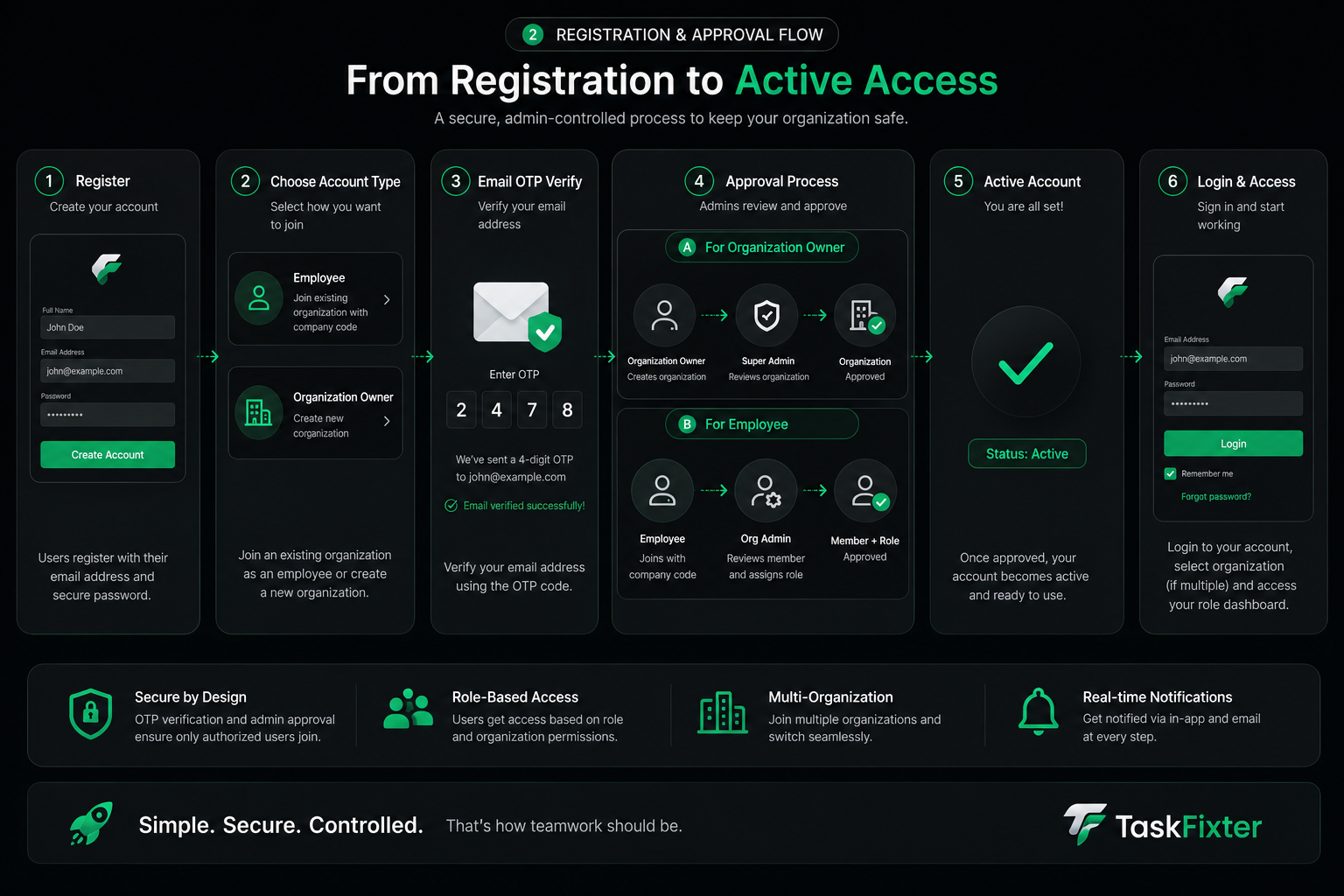
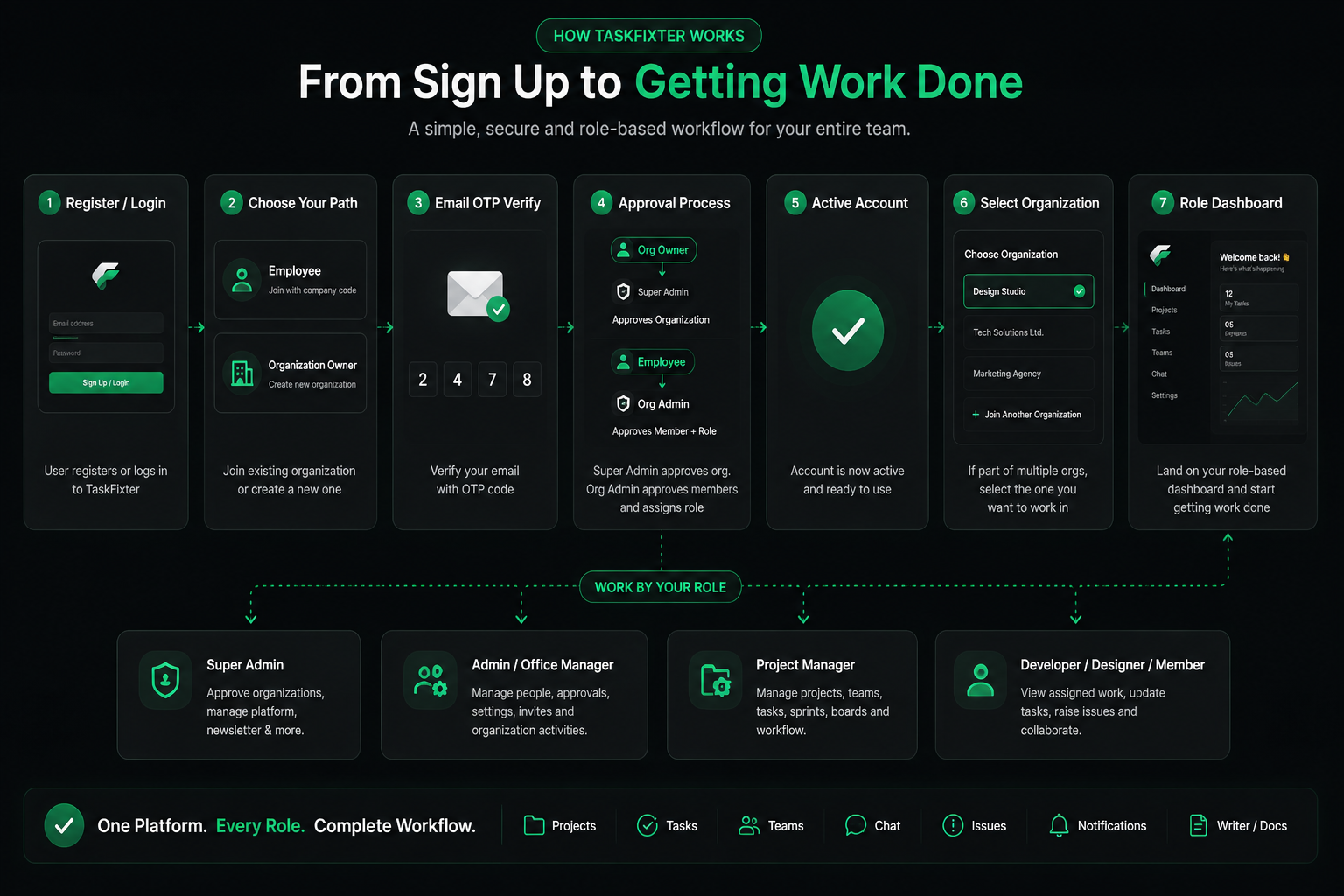
Already onboard? Log in. New? Create an account, verify your email, then wait for approval before your first sign-in.

  • Login— returning users go straight in.
  • Register— email verification, then admin approval, then login.
03

Choose an organisation

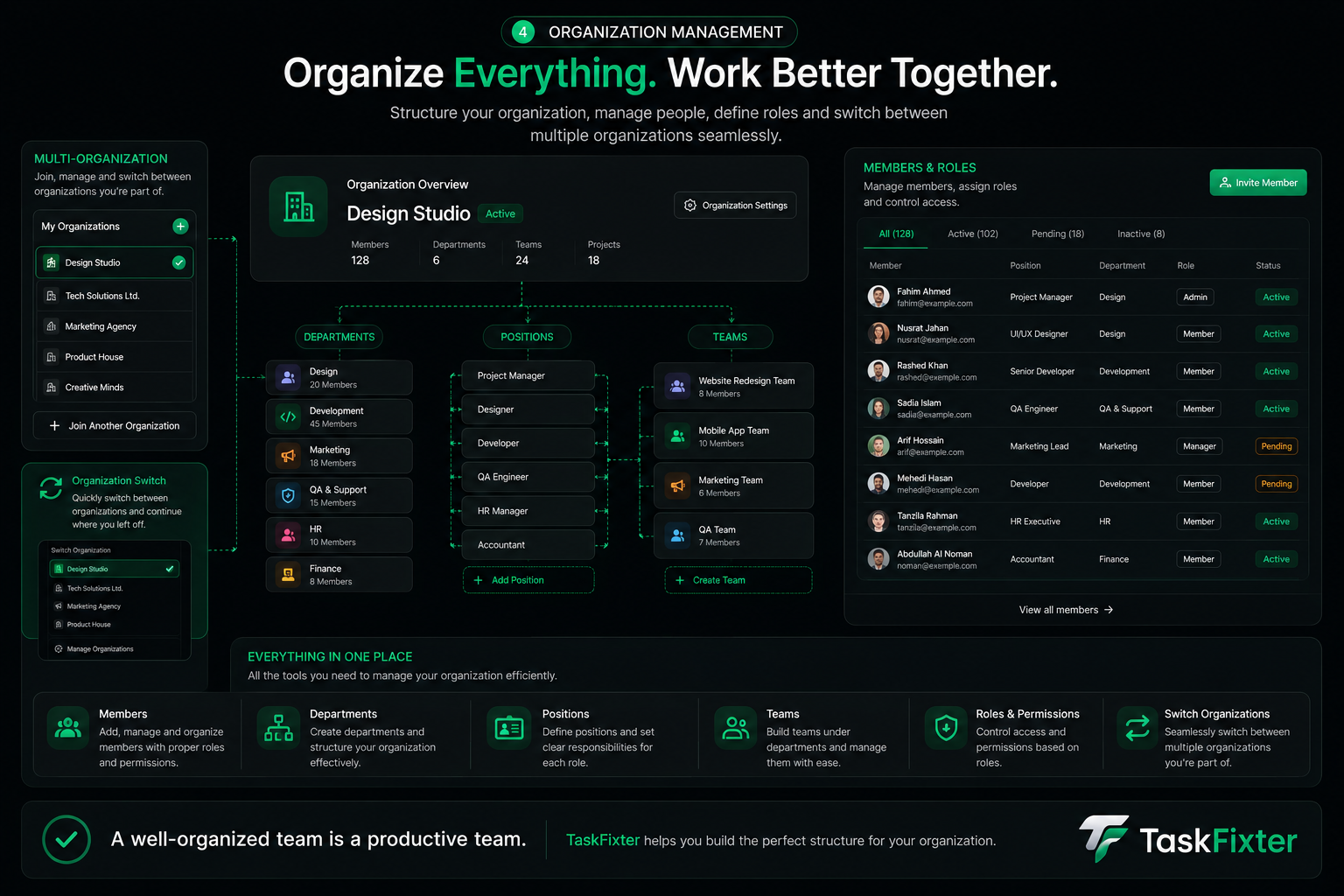
After login you see every org you belong to. Open one to enter—screens and actions match your role.

04

Who approves what

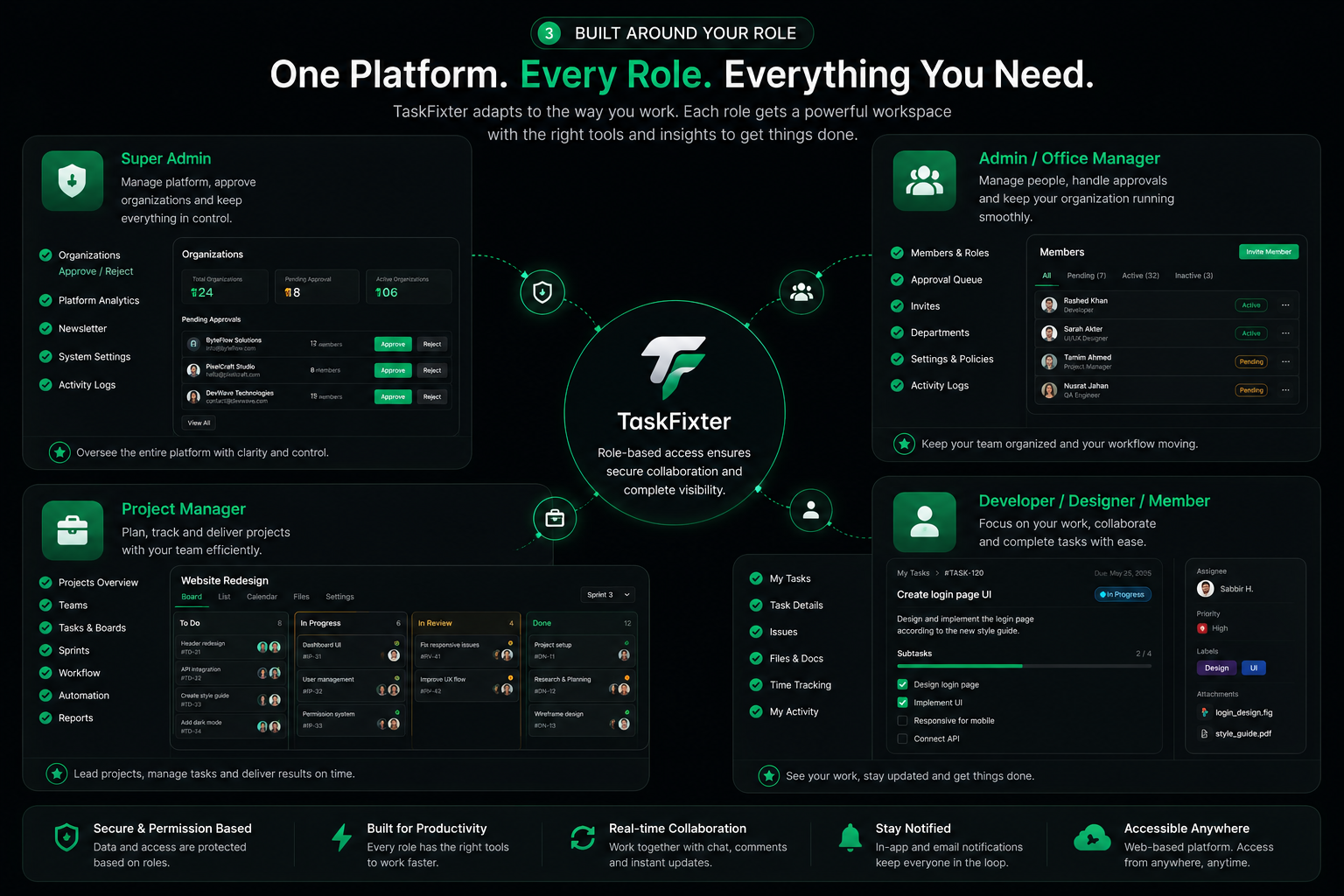
Super Admins accept organisations onto the platform. Each org’s Admin accepts members and assigns Admin, Project Manager, or Developer roles.

  • Super Admin— accepts organisations onto the platform.
  • Org Admin— accepts employees and assigns Admin, Project Manager, or Developer.
05

Projects & teams

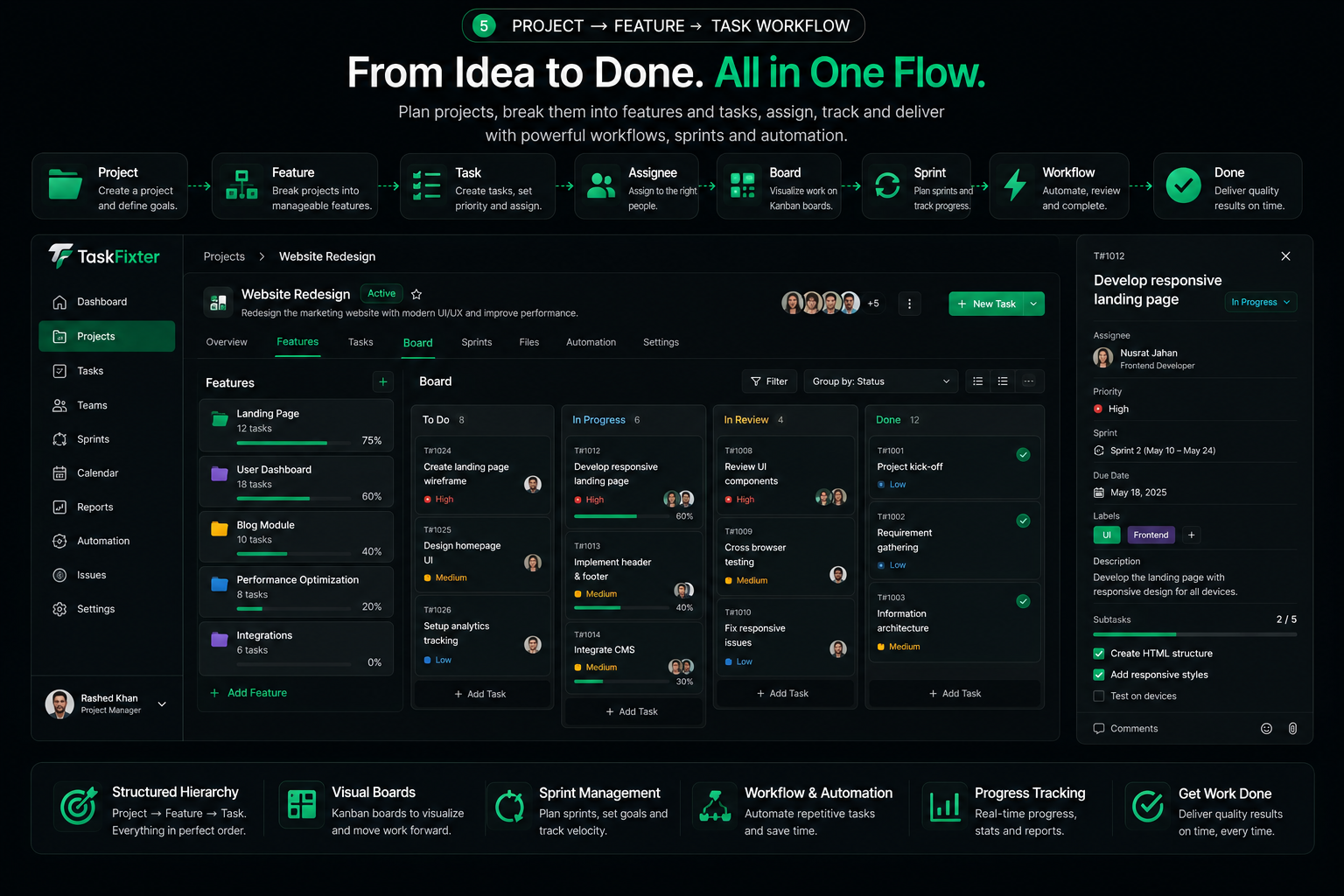
Project Managers create projects and teams—this is where work gets structured before anyone ships a line of execution.

06

Assignments & email

Tasks go to owners; assignees get mail so responsibilities never sit unseen in the noise.

07

Updates everyone can trust

People push progress on their work. Project Managers and Admins keep full visibility across the org.

08

Complete the project

Status rolls up until the initiative is done—one continuous path from first visit to shipped work.

Frequently asked questions